ICA Chess

RATING TARGET

Onboarding Guide
How to set up your personalized chess training path
© 2026 International Chess Academy · icachessacademy.com

What is the Rating Target?

The Rating Target is the heart of ICA Chess. It connects your current rating (Lichess, Chess.com, or FIDE) to a system of 17 training bands calibrated by FIDE level.

When you set your starting point, the system:

It's your personalized roadmap — from where you are to where you want to be.
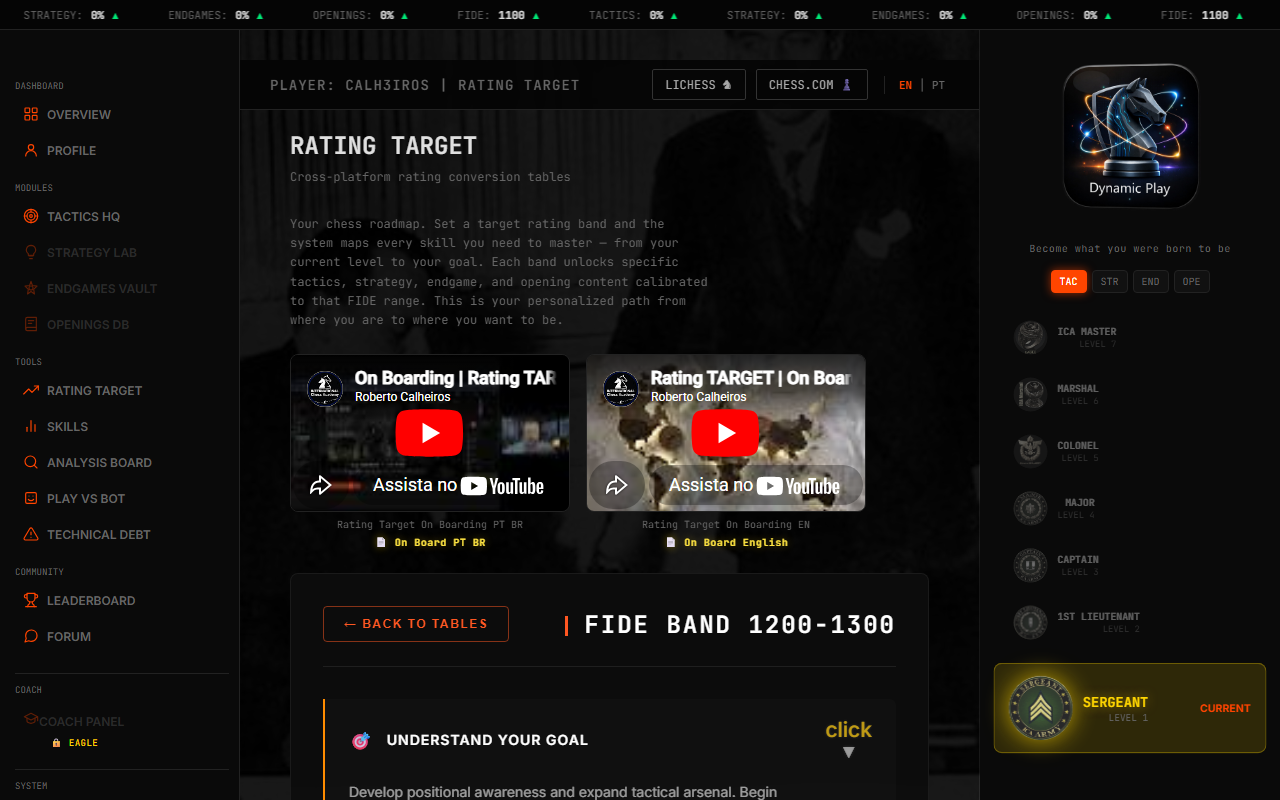
Rating Target page
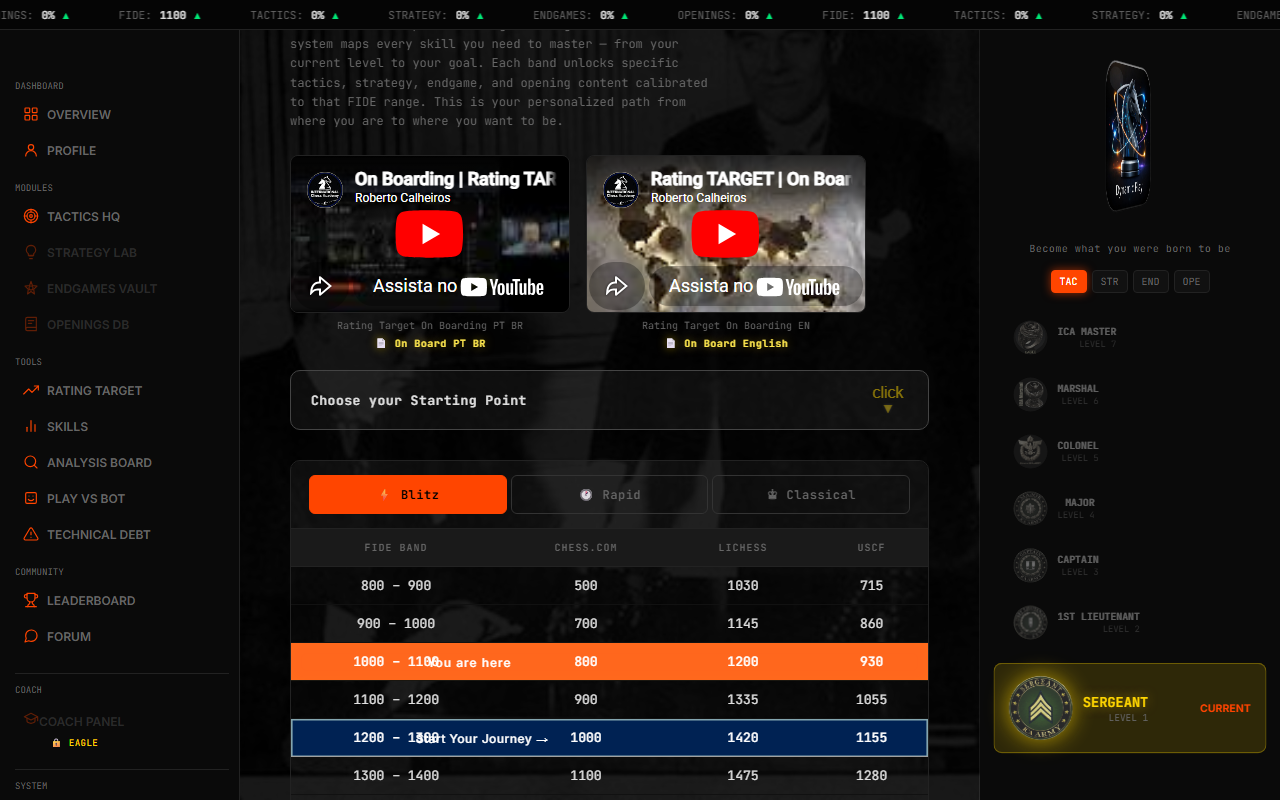
Rating Target page

Step 1 — Choose Your Starting Point

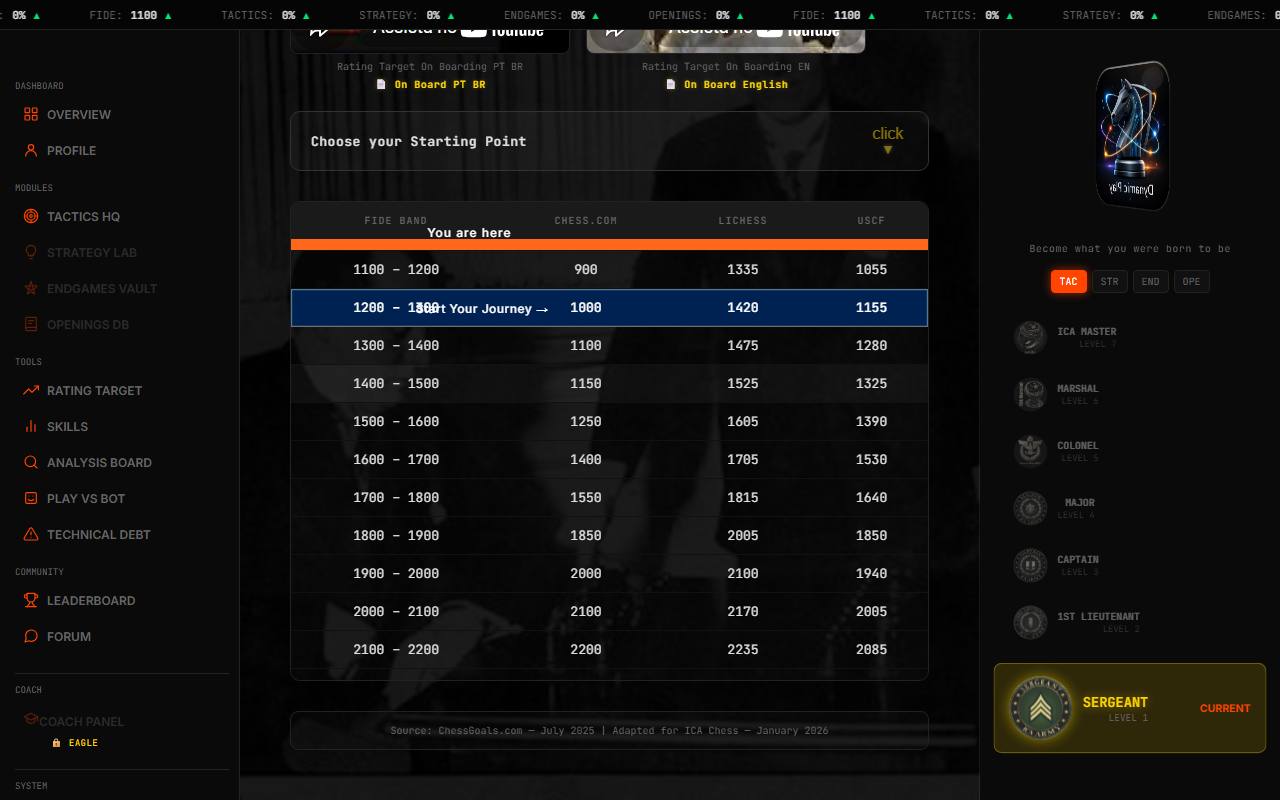
Click the "Choose your Starting Point" button.

You'll see 3 groups:

♞ LichessBlitz, Rapid, Classical
♟ Chess.comBlitz, Rapid, Classical
🏆 Over the BoardFIDE, USCF

If you've already connected your account, your ratings appear automatically.

Click the source that best represents your current level.

Starting Point selector

Step 2 — Your Position on the Table

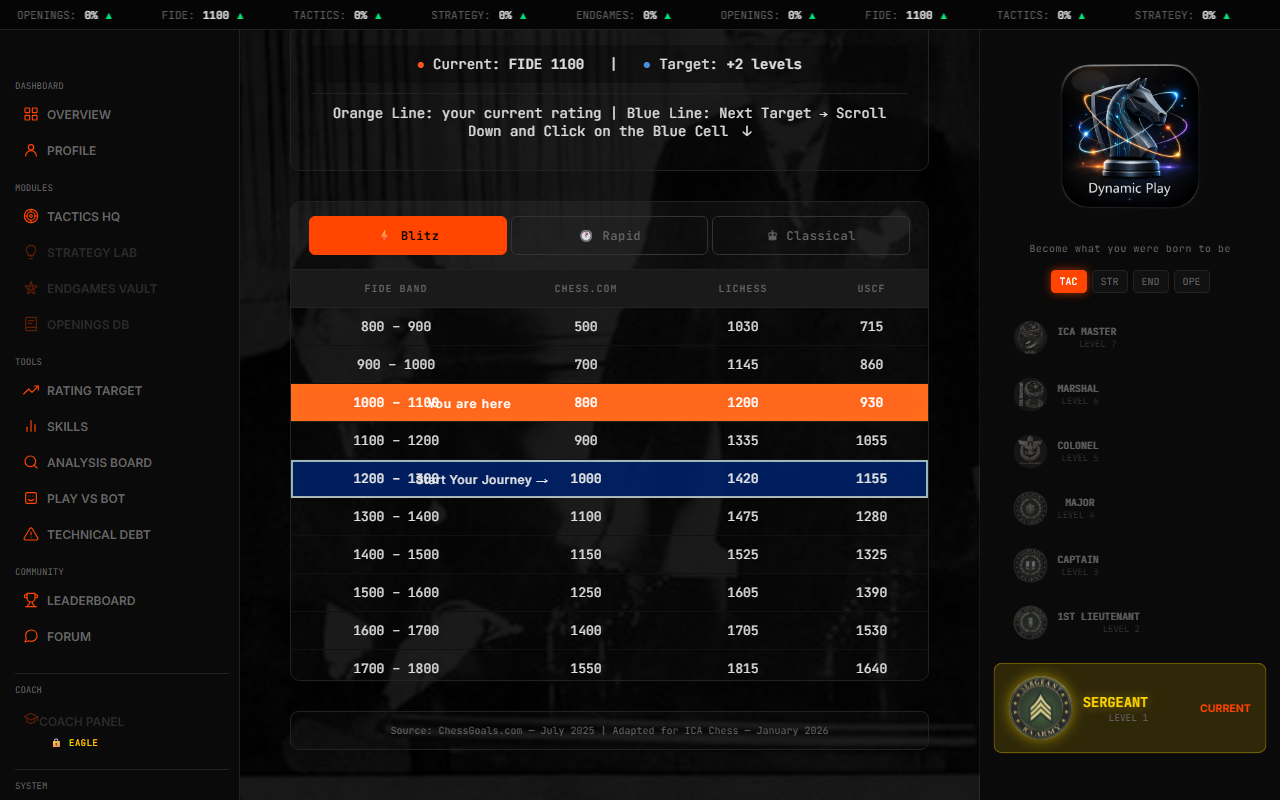
After selecting your rating source, the table highlights two rows:

ORANGE ROW You are here — Your current band.

BLUE ROW Start Your Journey → — Your goal: 2 bands above.

Use ⚡ Blitz / 🕐 Rapid / ♔ Classical to switch time controls.

Table with highlighted rows

Step 3 — Open the DNA Panel

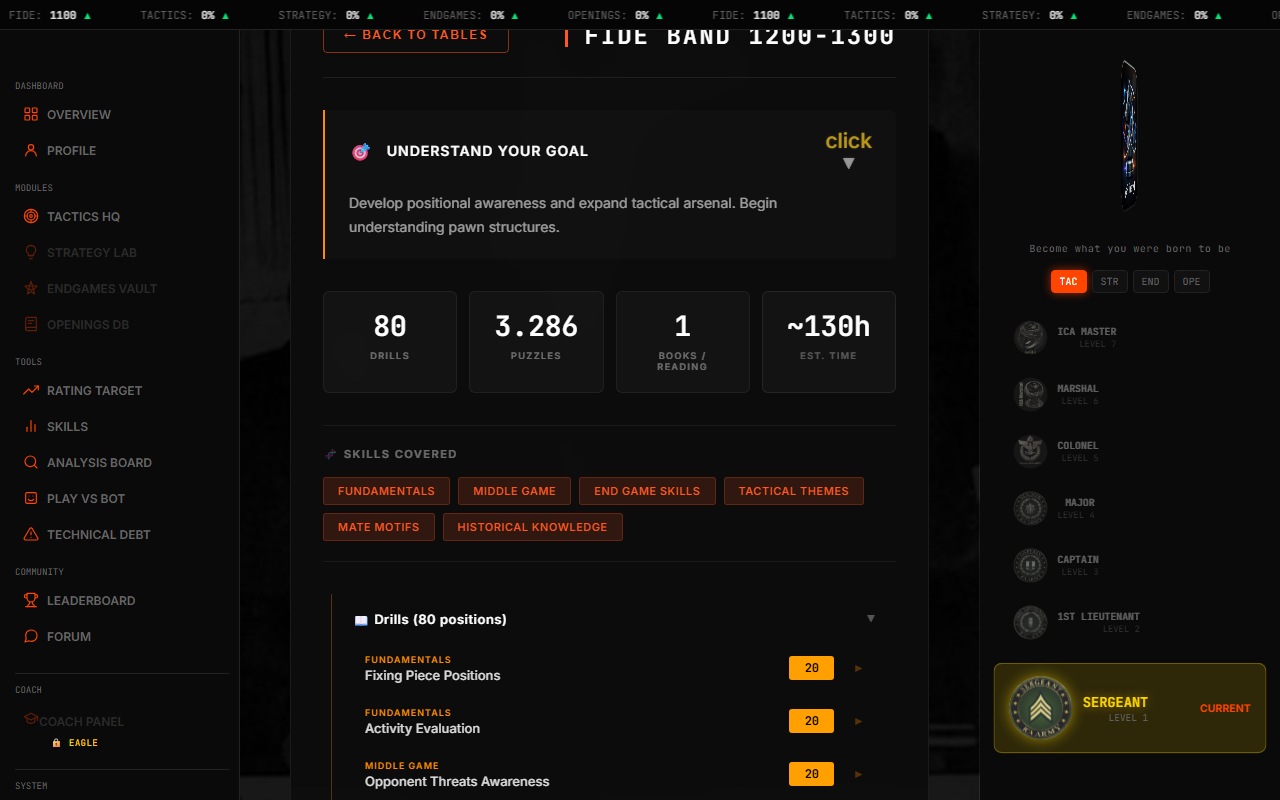
Click any row to open the DNA Panel. Here you'll find ALL the content:

🎯Band Objective — The target description for this band
📊Summary — Overview of what's included
🧬Skills Covered — Which Certified Skills this band develops
📖Drills — Positional exercises to practice
⚔️Tactical Puzzles — Tactic patterns to solve
👑Mate Patterns — Checkmate patterns to master
📚Openings (1800+) — Opening repertoire lines
📕Reading & Books — Recommended study material
DNA Panel
DNA Panel

Step 4 — Train

Every item is clickable:

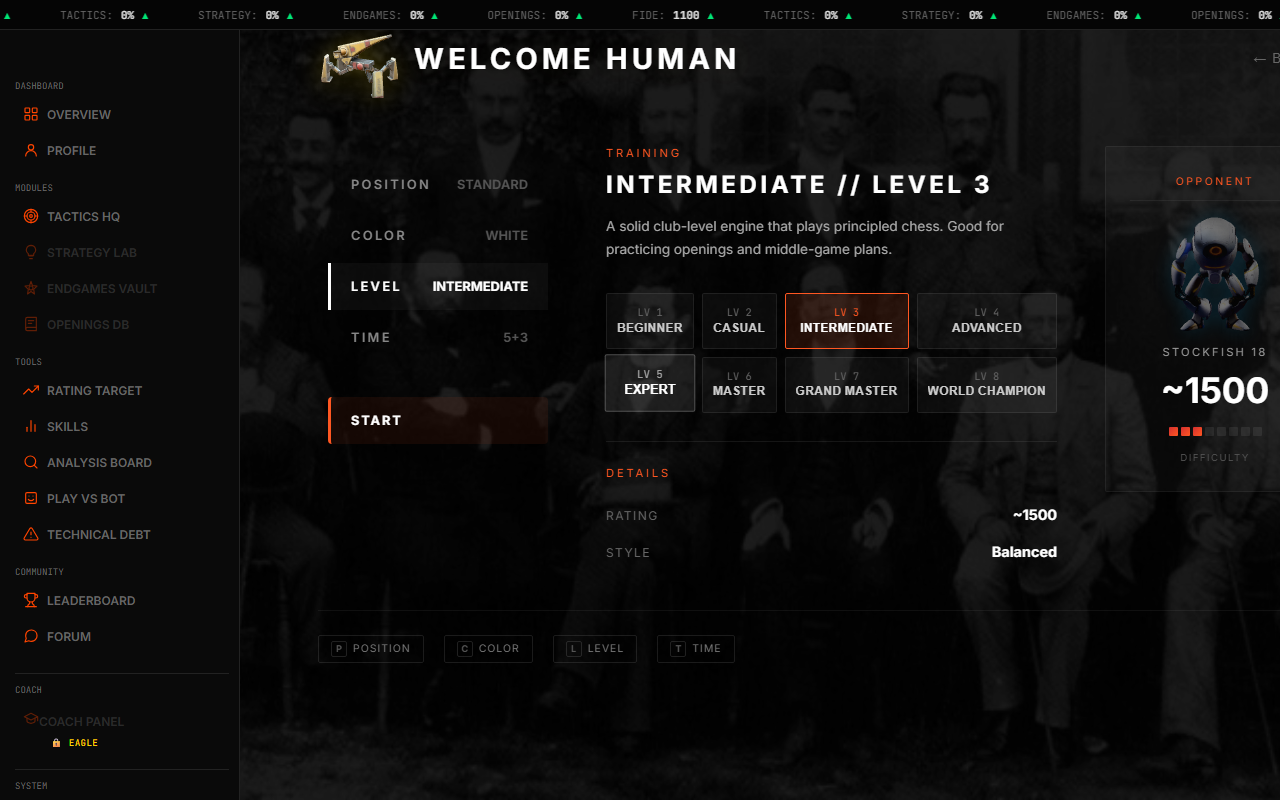
Drills → Play vs Bot

Opens Play vs Bot with position loaded. Progress tracked automatically.

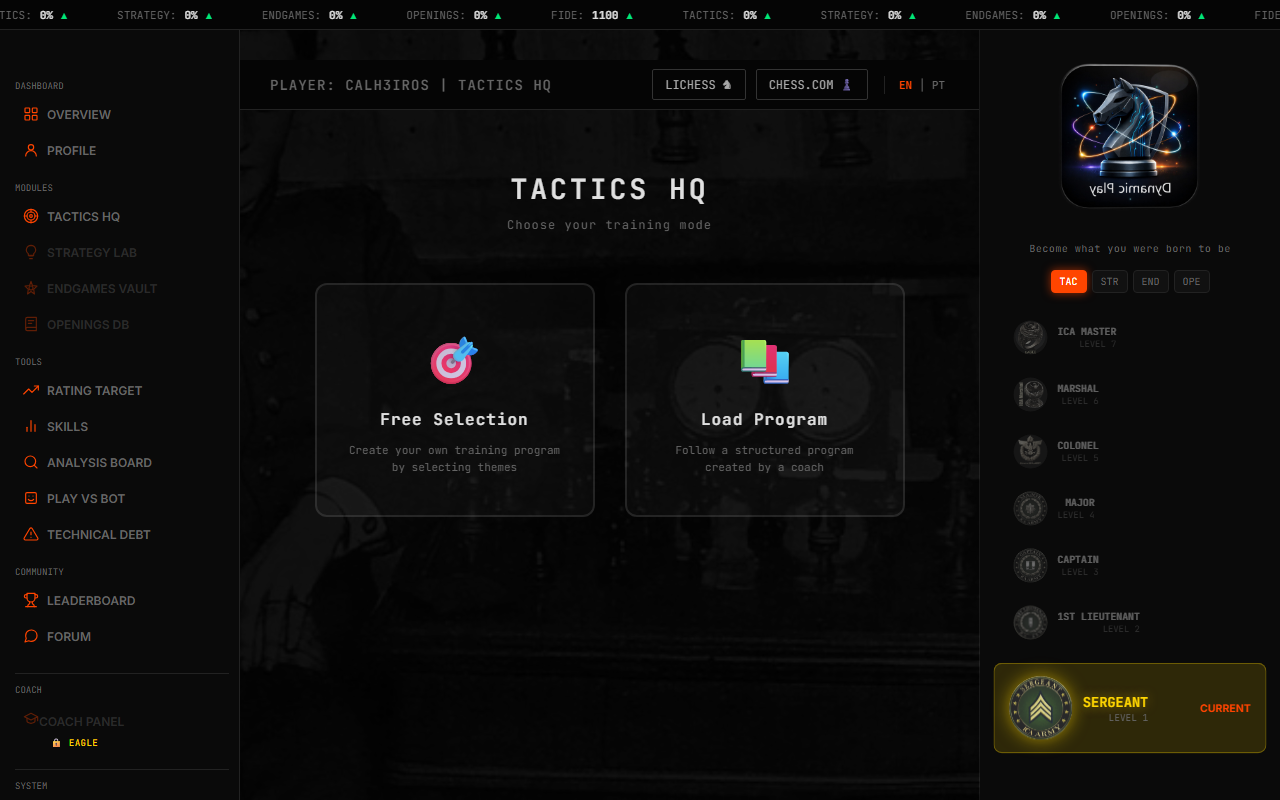
Puzzles → Puzzle Viewer

Opens Puzzle Viewer in DNA mode. Each solved puzzle counts.

All progress is saved automatically and reflects in Certified Skills.

Play vs Bot
Play vs Bot
Tactics HQ
Tactics HQ

Step 5 — Track Your Progress

Progress appears in multiple places:

In the DNA Panel

("X/Y") — see how many items you've completed per category

In Certified Skills

(calculated from all bands) — overall skill percentage

In the Skill Tree

(prerequisites) — visual map of unlocked and locked skills

In your Profile

(badges) — earned certifications displayed publicly

When a skill reaches 100%, schedule a 1-hour session with a titled player. Badge goes live on your public profile within 24 hours.

Skill Tree
Skill Tree
Profile Badges
Profile Badges

Reference — The 17 Bands

#FIDE BandLevel
1800–900Beginner
2900–1000Novice
31000–1100Early Amateur
41100–1200Amateur
51200–1300Developing
61300–1400Intermediate
71400–1500Club Player
81500–1600Strong Club
91600–1700Expert
101700–1800Master Candidate
111800–1900Master
121900–2000IM Base
132000–2100International Master
142100–2200Senior IM
152200–2300Super-GM Candidate
162300–2400Grandmaster
172400–2600Super Grandmaster

Each band has unique content. Start from your current band and advance 2 bands.

ICA Chess
icachessacademy.com
Your personalized path from where you are to where you want to be.